TEMPLATE
Official Name: O_O Corp
Coordinates:
- DW/AW: 2088S 4073E 2.1a 270
- VP: -4073X, 2.1Y, -2088Z, 270 Yaw
Headquarters: Region Name, Island Name
Holdings:
 |  |
This is a template we can use to keep the swiki formatting uniform. Swap out and change whatever information you need. This section is the overview and is the only unlabeled section.
This is what the the TABLE OF CONTENTS markup looks like:
Contents (hide)
- 1. Title / Infoxbox
- 2. Toplink
- 3. Lore Tabs
- 4. Table of Contents (TOC)
- 5. Picturebox
- 6. Section Standards
- 6.1 For organizations:
- 6.2 For flora or fauna:
- 6.3 For geography:
- 6.4 For races:
topTitle / Infoxbox
This is the article title, toplink (if needed), and standardized infobox:
(:title CHANGETHIS:)
(:div1 class="infobox":)
(:div2 class="infobox-title":)CHANGETHIS
(:div2end:)
%center%http://picsw.swcity.net/ad1_4.png
topToplink
If needed, place just below title
(:toplink:)
topLore Tabs
These tabs are placed at the top of the overview section, just after the infobox (if present).
(:div class="loretab-row":)
||border=0 cellpadding=0 cellspacing=0 style="display:inline-table"
||[[PmWiki/Template | https://swcity.net/picsw/tab_lore_focused.webp]]||[[PMWiki/Template | https://swcity.net/picsw/tab_realworld_defocused.webp]]||
There are three versions of each tab. Mix and match as appropriate. Each page must have one Lore tab and one Real World tab.
Lore Tab Variants
- Goes on a Lore Page and links to its own page
 Goes on a Real World Page if there is a Lore page present and links there
 Goes on a Real World Page if there is no Lore page present, no link
Real World Tab Variants
 Goes on a Real World Page and links to its own page
- Goes on a Lore Page if there is a Real World page present and links there
 Goes on a Lore Page if there is no Real World page present, no link
topTable of Contents (TOC)
Insert (:toc:) below the overview and just above the first section to create a table of contents. This should only be done when there is more than one section.
You can add alternate table of contents styles by typing the following in place of (:toc:) in limited scenarios:
(:toc-sidebar-1:)- Centered, two-column layout, no numbering, no show/hide, styled as an infobox. Useful for massive pages like the real world history page. Use only when no other infobox is present.(:toc-sidebar-2:)- A standard TOC (example above), just inside an info box. No show/hide. Use to cut down on whitespace a normal table of contents might generate. Use for index pages like the History Directory. Use only when no other infobox is present.
topPicturebox
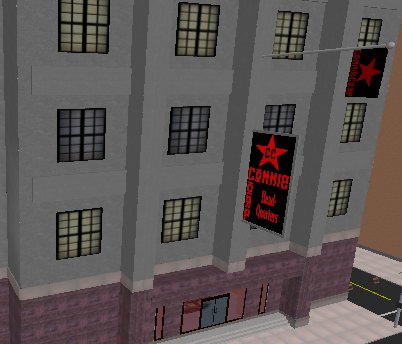
Example of a picturebox is just below here.
(:div class="picturebox":)
%center%http://picsw.swcity.net/org_commiecorp.jpg
This is a picture box.
(:divend:)
This is a picture box.
topSection Standards
This info on here now is from the CommieCorp page just as a demonstration. Images automatically resize and link to the full version. Text also wraps around the image.
When linking to other pages like this CommieCorp article, only the first mention of the article's subject should be linked per major section. So, link a subject at its first mention in each !! sub-heading section and skip linking anything that doesn't have its own wiki page worth visiting. If the CommieCorp article appears again in another section, link it at the first mention at that section, and so on.
If you need a line break, place a \\ at the end of a line of text to linebreak it.
Recommended fields for the infobox on the right, add more if needed:
For organizations:
- Full name (if needed)
- Net Worth
- CEO or important people
- # Employees (on average)
- HQ/location, holdings (if top level) or
- subsidiary (if belonging to)
For flora or fauna:
- Scientific Name
- Type
- Natural Habitat
- Location
For geography:
- Location
- District
- Coordinates - Render as DeltaWorlds coordinates first (Then Virtual Paradise coordinates in parentheses)--See example in infobox above
- Population
- Size
For races:
- Racial Name
- Scientific Name
- Type
- Origin
- Predominate Locations
- Major Religion(s)
For products: Use whatever similar products use
"Insert moto or quote or slogan here."
- page _, what its from
This page may have a more recent version on pmwiki.org: PmWiki:Template, and a talk page: PmWiki:Template-Talk.